For modular IT licenses (version 24.1 and above), the Imatest License Manager has a separate display that lists all the enabled analysis modules for the current license. Only analysis modules that are listed as enabled can be run with the current license.
List enabled analysis modules with the License Manager
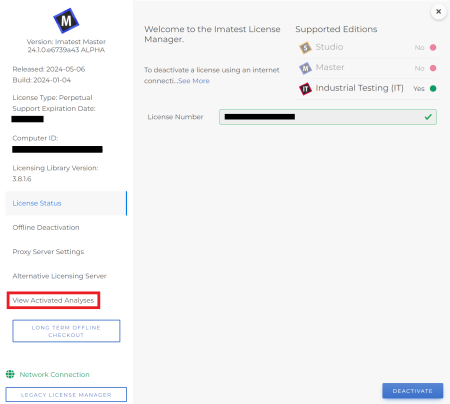
For modular IT licenses only, the Imatest License Manager displays a tab labeled “View Activated Analyses” on the lower left side.
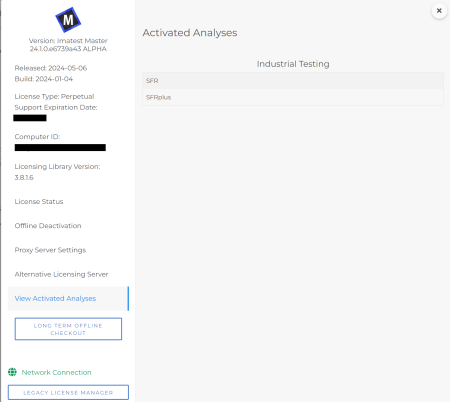
Clicking on “View Activated Analyses” will display a page like the following, where the activated license only has SFR and SFRplus analyses enabled.
List enabled analysis modules with the legacy License Manager
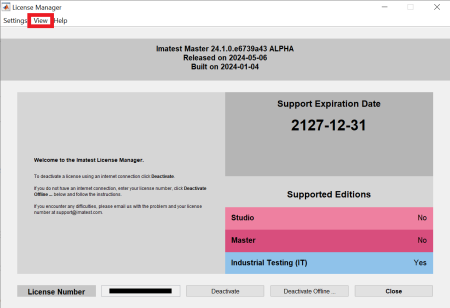
The legacy License Manager too can display the list of activated analyses for modular IT licenses. To access this display, click on the “View” menu and select “Activated analyses …”.
Doing so will cause the following window to appear, which, for this license, indicates that SFR and SFRplus analyses are enabled.




 Quote Cart